Pocketalk Mobile App for Enterprise Whitepaper
1. Basic Information
1.1 Service Provider
Pocketalk is designed and provided by Pocketalk Corporation.
1.2 Data Flow
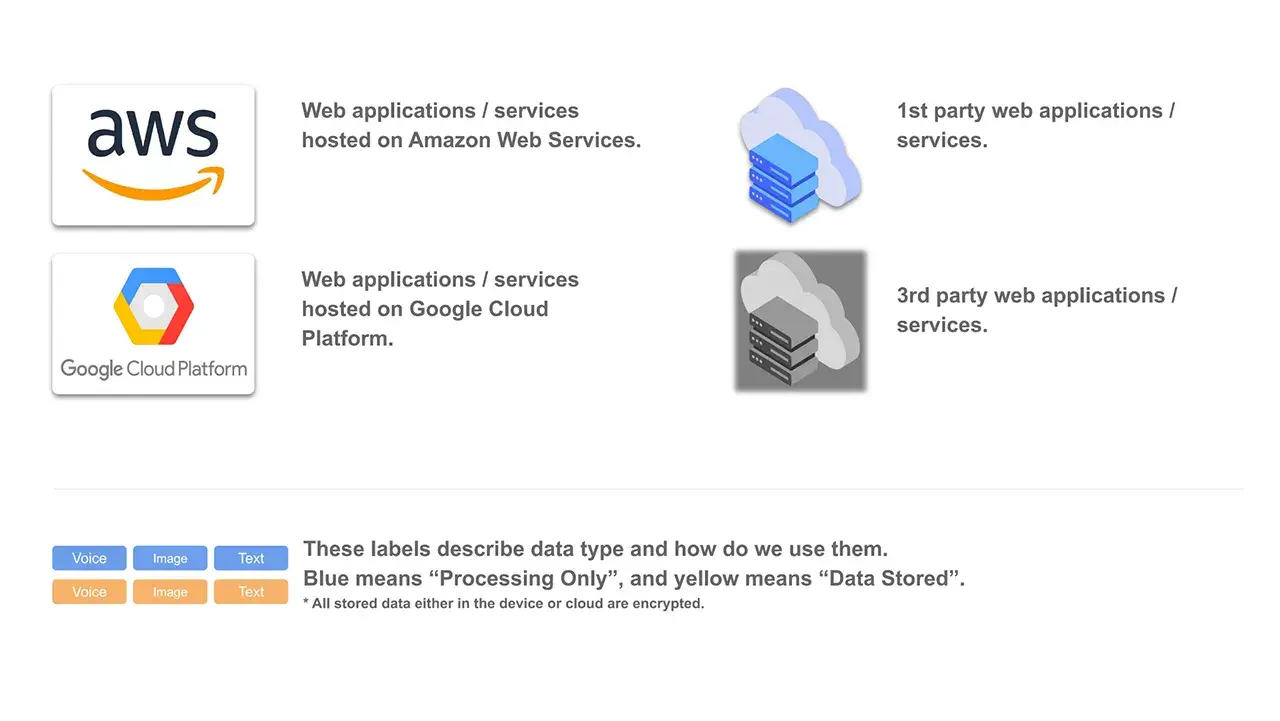
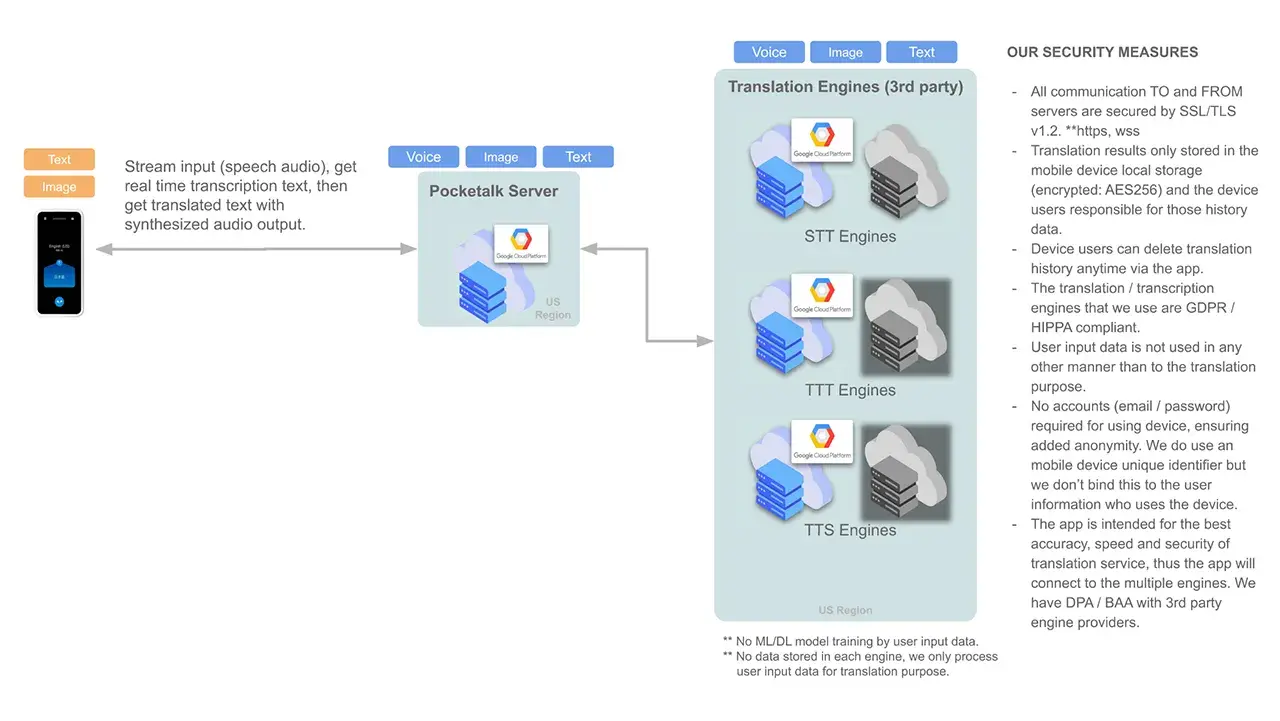
<Figure 3. Pocketalk App High Level System Architecture>
1.3 User Data
- Pocketalk Enterprise app stores the transcription text and translated text, and camera translation images within the mobile device local storage only.
- Customers can delete these data via the app at any time.
- Pocketalk Enterprise app won’t store any data related to the language (speech) and camera translation in Pocketalk Server.
2. Features
2.1 Key Features
2.1.1 Voice Translation & Supported Languages
Real-time two-way voice translation: Speak into the device and get instant translations in another language.
Supports more than 90 languages: Covers a wide range of languages for global communication.
2.1.2 Camera Translation & Supported Languages
Translate text from images: Point the camera at signs, menus, or documents to get instant translations.
Supports more than 50 languages: Covers major languages for convenient text translation.
2.2 Product Specifications
Android Version
| SPEC | Parameter |
|---|---|
| Product Name | Pocketalk Enterprise |
| Application ID | com.pocketalk.droid.enterprise.translation |
| OS Support | Android 13 or later |
| Android API Level Support | 35 (Android 15) |
iOS Version
| SPEC | Parameter |
|---|---|
| Product Name | Pocketalk Enterprise |
| Application ID | com.pocketalk.aple.enterprise.translation |
| OS Support | iOS 18.3.1 or later |
2.3 Instructions, Manual & Safety Information
Please refer to the online manual (https://pocketalk.link/eap_manual).
3. Support
3.1 Information Notification
Official Website: Latest news, updates, and FAQs are available on the official Pocketalk website.
Email Notifications: Users may opt-in to receive important information and updates via email.
3.2 Troubleshooting
Self-Service Resources:
Users are encouraged to utilize the following resources for troubleshooting common issues:
- Online manual (https://pocketalk.link/eap_manual).
- FAQs addressing frequently encountered problems.
Contacting Support:
If self-service resources do not resolve the issue, IT representative can contact us directly at EAP@pocketalk.com.
4. Security & Compliance
Pocketalk Enterprise app (iOS and Android) is a state-of-the-art tool designed to facilitate real-time, accurate language translation and enable secure global communication. Built for enterprise environments, the app leverages the robust security capabilities of Apple iOS and Google Android and can be configured to align with customers’ security and compliance requirements. The applications are designed, tested, and delivered by Pocketalk.
- End-to-end encryption (AES-256) for data transmission
- Data Anonymization
- No data retention policy
- Third-party vulnerability assessment
- Regular security updates
5. Service Provision & Contract
5.1 Service Usage Conditions (Terms of Use)
Please refer to the latest Terms of Use available online for the Service Usage Conditions.
- For people based in North America: https://pocketalk.com/general-terms-of-use-na
- For people based in any other country outside of North America: https://pocketalk.link/tou
5.2 Service Level Objective (SLO)
Pocketalk is operating under the following SLO.
| Service hours | 24/7 |
|---|---|
| Availability | 99.0% ** Excluding the scheduled maintenance time |
| Average occurrence and outage time | 2〜4 times / year, Each scheduled maintenance may cause service outage time of up to 6 hours. |
5.3 Government Approval, Authorization, Certification, Notification,etc.
If any government approval, authorization, certification, notification, is required in order for the user to use the app, the user shall handle such issues at the user’s own expense and responsibility, unless the distributor is able to obtain such approval, authorization, certification, notification, etc
 English (US)
  English (Canada)
  English (Europe)
  English (UK)
  Español
  Français
  Deutsch
  Italiano